Broken Link Detector: Free Chrome Extension by ArvoPeak
Scan any webpage for broken, redirected, and working links instantly with this free Chrome extension.
Overview
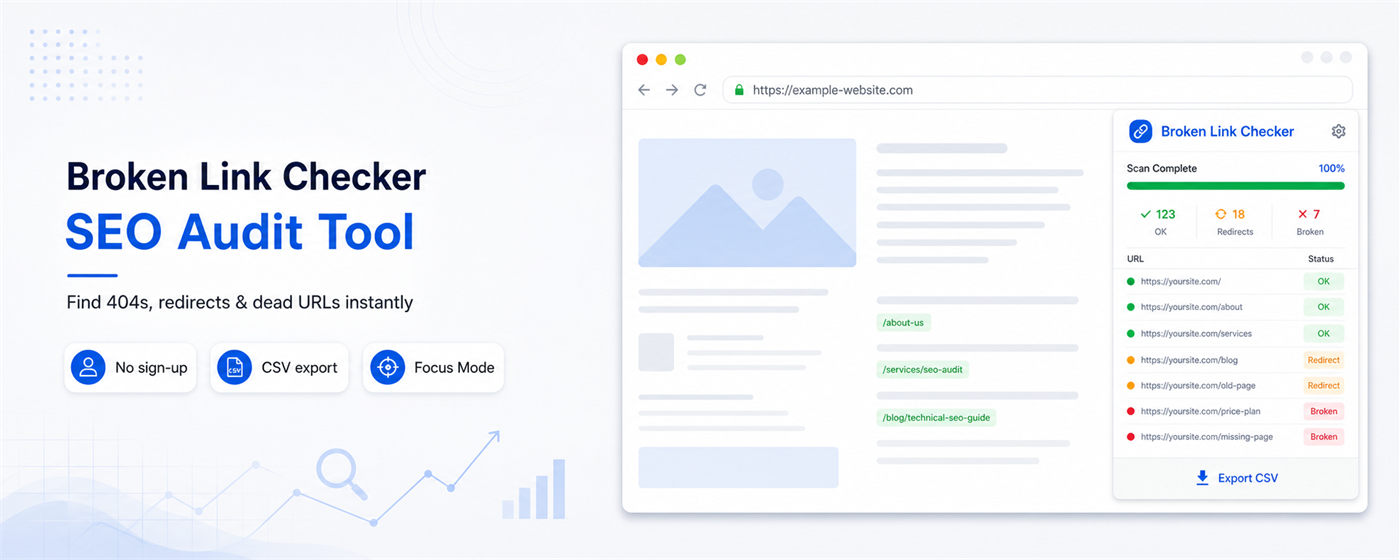
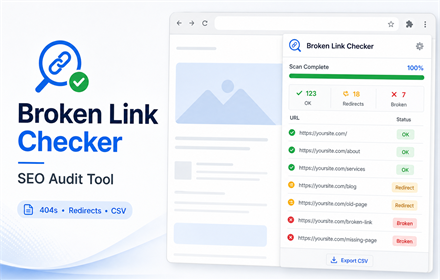
Broken links on websites can degrade user experience and harm search engine rankings. This Chrome extension from ArvoPeak eliminates the hassle of manually checking links by scanning any webpage for broken links, 404 errors, server issues, redirects, and properly working URLs with a simple click. It presents results in color-coded form: broken links appear in red, redirects in yellow, and healthy links in green, giving you immediate insight into the link health of the page.
Installation requires no account or sign-up; just add the extension and start scanning. It operates entirely within your browser, ensuring privacy since no data leaves your device. Whether it's your own site, a client’s site, or a competitor’s, you can audit all the links on the page in seconds. The free version covers up to 150 links per scan, showing real-time progress and allowing filtering by link status. For larger needs, a pro version adds features like unlimited links per scan, bulk URL checks, sitemap scans, and export options.
This tool is designed for SEO professionals, web developers, content managers, and digital agencies who need fast, reliable link audits without technical complexity. You navigate to a page, click the extension icon, and the scan runs immediately. The user-friendly interface and straightforward process make link health checks accessible to anyone familiar with Chrome. We checked the site and it confirms you can start scanning pages right away without signing up or sharing your browsing data.
What it offers
Features
- Detects 404, 500 server errors, and timeouts
- Identifies 301 and 302 redirects with destination URLs
- Color-coded results with real-time progress bar
Use cases
- SEO professionals checking for broken links hurting rankings
- Web developers auditing client sites before delivery
- Content managers verifying link health in blog posts
Screenshots
Frequently asked questions
Does it work on any website?
Yes, the extension scans any website you can visit in Chrome including your own, client sites, or competitors.
Will the extension slow down my browser?
No, the extension only runs when you click Scan and does not operate in the background during normal browsing.
Can it scan password-protected pages?
Yes, if you are logged in and can view the page in Chrome, the extension can scan it.
0 comments
Sign in to leave a comment.
No comments yet. Say something useful and be the first.