
People Remover: Remove People from Photos Free with AI
Upload a photo, describe who to remove (“the man on the right”) and the AI deletes them. One free edit, then credits from $3.99.
Overview
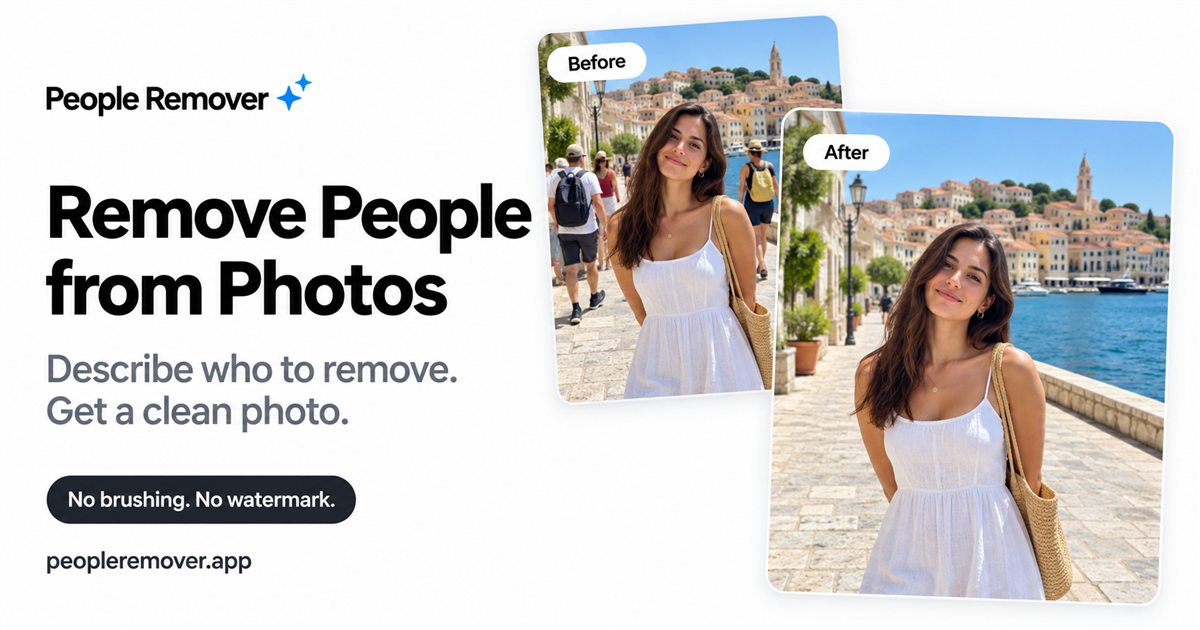
People Remover does one job: it takes a person out of a photo without you having to brush or mask anything. You upload the picture, type who to remove in plain words like “the man on the right” or “the group in the background,” and the AI redraws the shot without them. You can name more than one person in a single description and it still counts as one edit. It runs in the browser, including on iPhone, and takes JPG, PNG, WebP and iPhone HEIC files up to 10MB.
One thing to understand about how it works: it isn’t erasing a patch, it’s regenerating the whole image, so the site warns that small details elsewhere can shift and you should check the result before printing or sharing. No AI model or provider is named; the site just refers to “our AI service.”
Pricing is credit-based. You get one free 1K edit when you sign in, with no watermark on any plan. After that there’s a $3.99 pack of 5 credits that never expire, or monthly plans: Basic at $9.90 for 100 credits, Standard at $19.90 for 300, and Pro at $49.90 for 900. A 1K image is 1 credit, 2K is 2 and 4K is 3, with the higher resolutions on paid plans. Monthly plans renew automatically, unused credits carry over, and failed edits refund the credit. On privacy, the site says uploads and results are deleted after an hour and aren’t used to train models, so download what you want to keep. No company name or country is given.
We explored the site, and it confirms your first photo removal edit is free once you sign in, with no watermark added.
How we checked People Remover: Remove People from Photos Free with AI
Checked by Barry
How we checked it
Signed in to use the one free edit on a photo, then checked the credit costs and resolutions on the pricing page.
Note: it regenerates the whole image rather than erasing a patch, so details elsewhere can change. No AI model or company is named.
What we verified
- Free edit? One 1K edit on sign-in, no watermark
- Credit pack? $3.99 for 5 credits, never expire
- Monthly plans? Basic $9.90/100, Standard $19.90/300, Pro $49.90/900
- Credit cost? 1 for 1K, 2 for 2K, 3 for 4K
- Files? JPG, PNG, WebP, HEIC up to 10MB
- Retention? Uploads and results deleted after 1 hour
What it offers
Features
- Removes people by text description, with no brushing or masking
- Supports JPG, PNG, WebP, and HEIC/HEIF image formats
- Download results without watermark in selectable resolutions
- Refunds the credit when an edit fails, so you can retry with a clearer description
- Deletes uploads and results after an hour and doesn’t use them for training
Use cases
- Clear tourist crowds from landmark photos
- Edit out photobombers in candid snapshots
- Remove neighbors or passersby from real estate images
Screenshots


Frequently asked questions
Can I remove people from photos online for free?
Yes, the first edit is free when you sign in, and it has no watermark.
Do I need to select or brush the person?
No. You describe who to remove in a sentence and the AI handles it.
Can I remove multiple people in one edit?
Yes, naming several people in one description counts as a single edit and uses the same credits.
What happens to my photos?
The site says originals and results are deleted after an hour and aren’t used to train AI, so download results promptly.
0 comments
Sign in to leave a comment.
No comments yet. Say something useful and be the first.